They only see the shows you said yes to.
ShowHaven turns Netflix, Disney+, Prime Video and more into one screen of shows you picked. Your child taps one. It plays.
There is nothing else to find.
You pick the shows — from your phone, or from any browser at showhaven.tv/app. Your child gets them on their own tablet or phone, in the apps you already pay for. They never sign in, never search, and never type anything — they just see what you chose.
Free for one child, one device and up to 15 shows — not a trial, and no card. $7.99/month for the whole family, cancel any time. Android phones, tablets and Google TV. See supported devices.
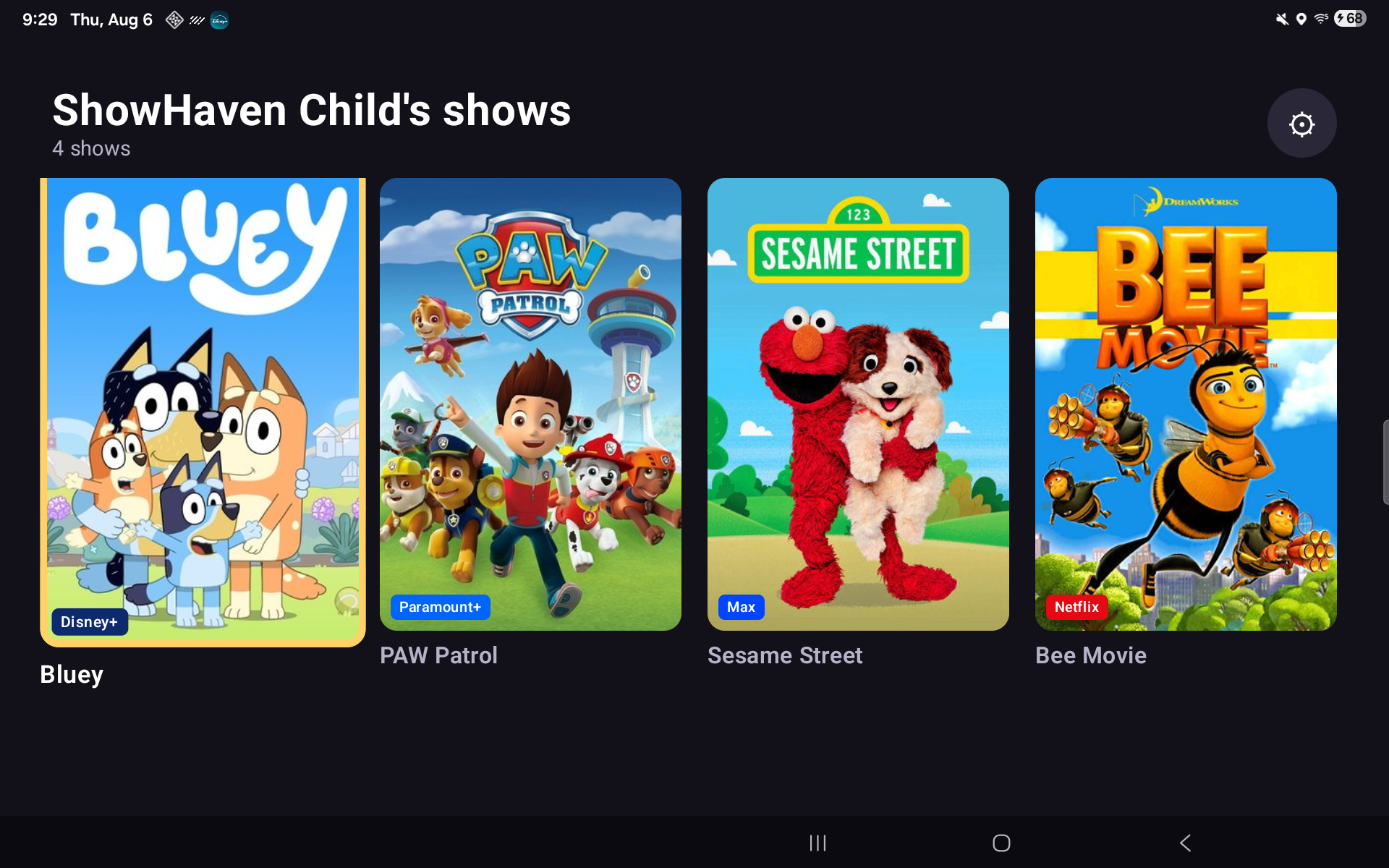
How ShowHaven is different
A kids’ profile is still thousands of shows. It helps, but it is not a whitelist — your child still browses a catalogue of thousands, autoplay still queues up whatever is next, and the moment they back out of the show you started they are loose in the whole library.
Their kids’ profile
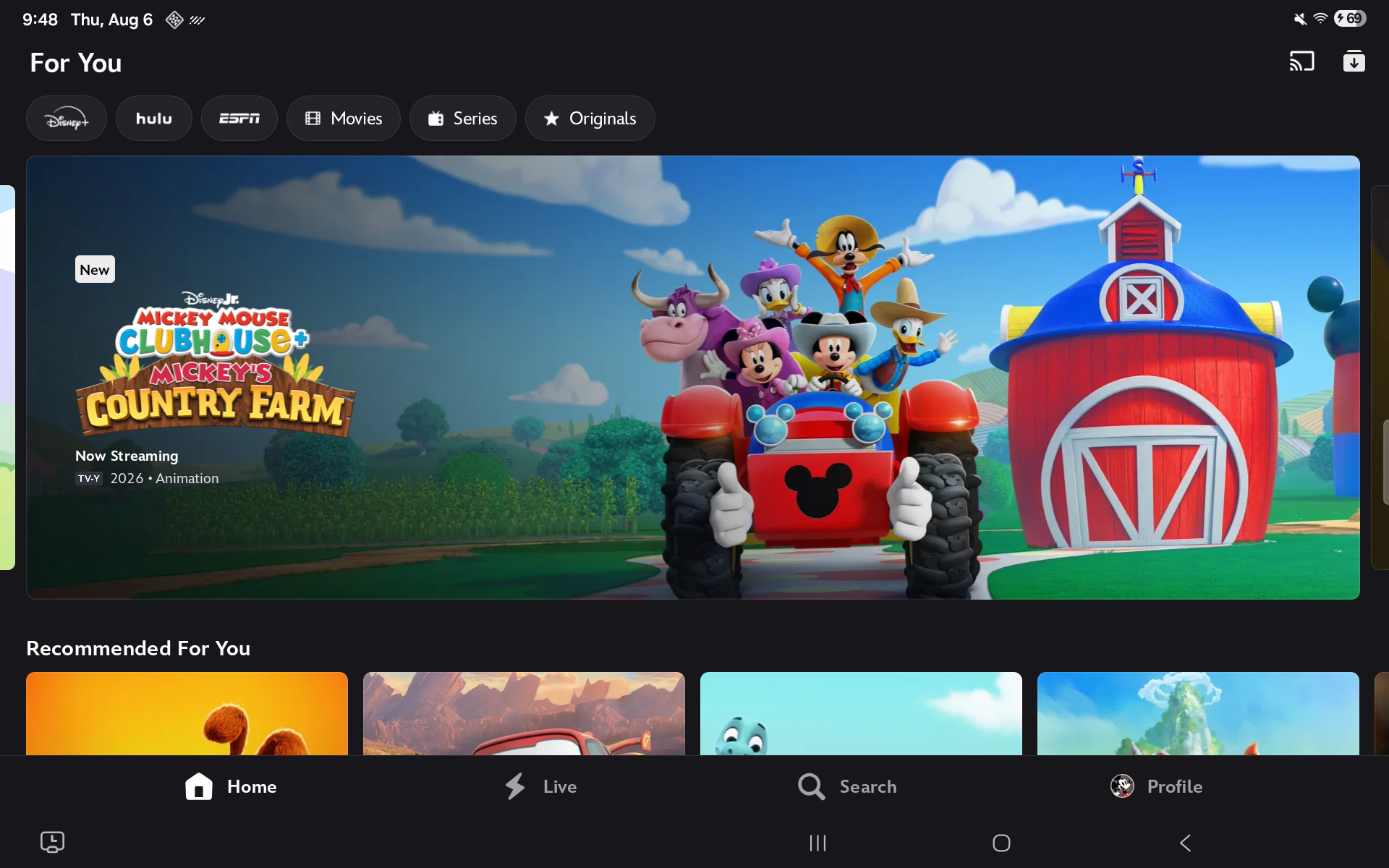
Thousands of titles, and it keeps scrolling.
ShowHaven
The shows you approved. That is the whole screen.
Maturity ratings are a blunt instrument. “Nothing above PG” is not the same as “these eleven shows.” No streaming service offers a whitelist. That is the gap ShowHaven fills.
How it works
You approve the shows
Search on your phone or computer. ShowHaven tells you which service carries each title. Approve the ones you want.
Your child sees only those
Their device shows a grid of big, tappable artwork. Nothing else. No search, no catalogue, no typing.
Tapping opens the show
ShowHaven hands off straight to the service that carries it. It plays in the app it belongs to, the way it is meant to.
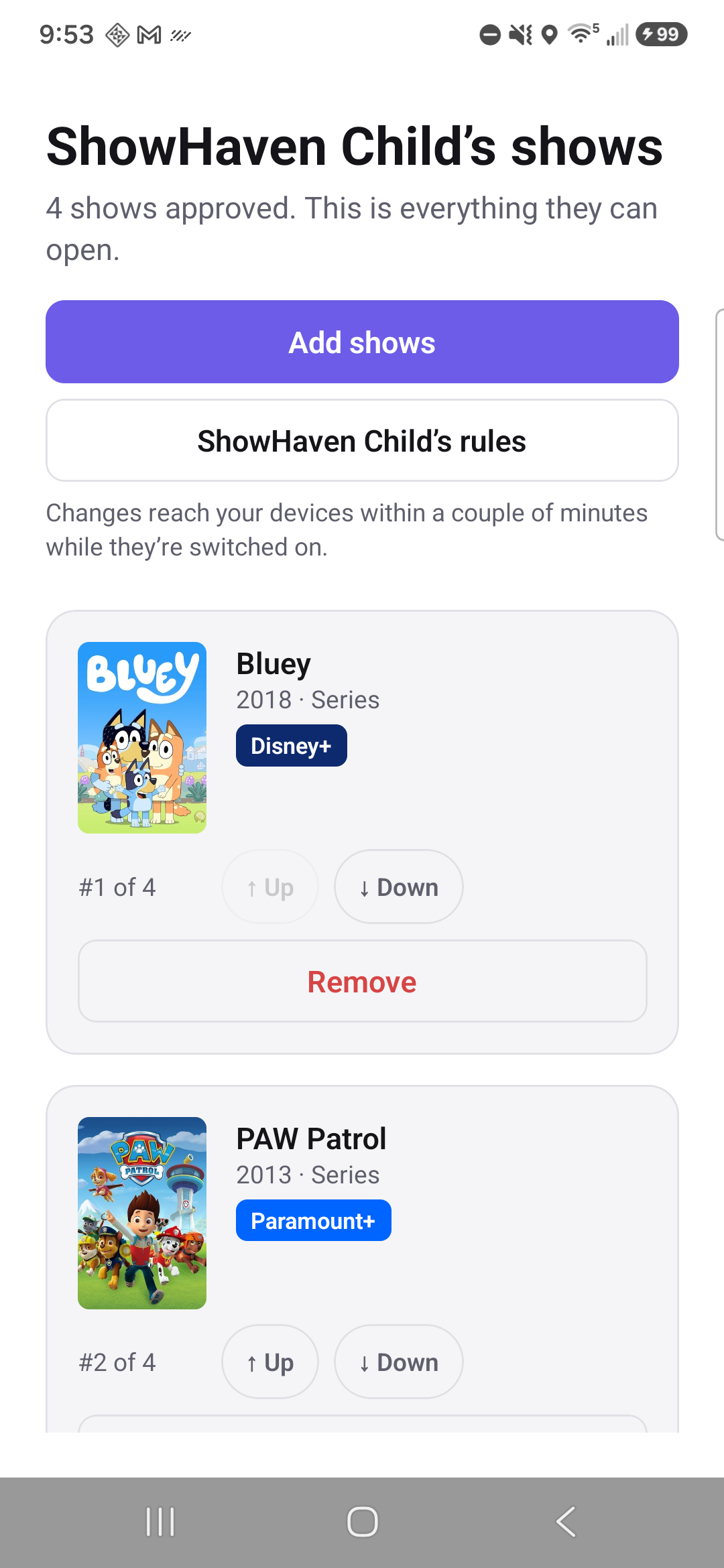
ShowHaven never plays the video itself. It opens the service you already pay for, directly on the title. We do not host, stream or re-wrap anyone's content — and we never will.
Pick the episode, not just the show
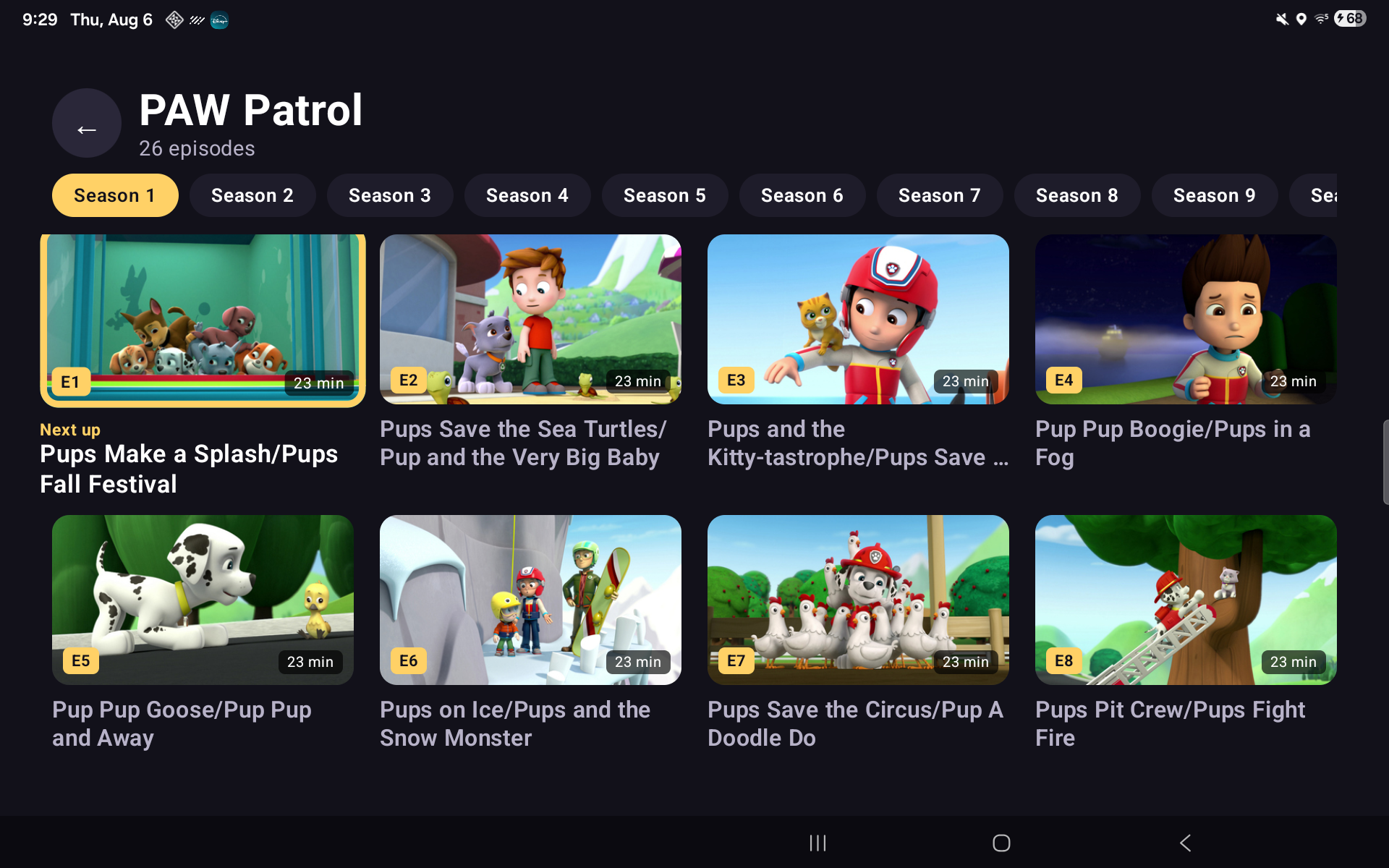
On Disney+ and Paramount+, tapping a series shows its episodes inside ShowHaven — real artwork, big tiles, one tap to play. ShowHaven remembers where your child got to — the picker opens on the right season, scrolls to the next episode, and marks it “Next up”.
This matters more than it sounds. Choosing an episode inside the streaming app means being inside the streaming app, one swipe from everything else. Choosing it here means they never go there to browse — only to watch.
Other services open the show itself and pick up where your child left off. We add the episode picker service by service, as we can do it properly.
What happens when a four‑year‑old presses the wrong button
Approving the shows is half of it. Here is the other half — and what each part honestly does.
Back to their grid Family plan
Leave the show and ShowHaven brings them back to their own screen within a couple of seconds — including when they back out of a show into the service's catalogue.
Home stays home Family plan
With ShowHaven set as the home app, pressing Home returns to their grid rather than the device's app drawer.
A PIN that slows down
Grown-up settings sit behind a PIN, on a keypad that gets slower after wrong guesses. No text entry exists anywhere on the child's screen.
And when it can't, it says so. Some devices cannot enforce some of this. ShowHaven tells you which, in the app, instead of showing a switch that quietly does nothing.
Ask to come out
A child can tap a button to ask for more time. It notifies your phone and you answer with one tap. It grants exactly the same timed release the PIN menu does — nothing a child can give themselves.
We built it because the alternative is a child with no move except finding an adult, and a kid who cannot ask learns instead to hunt for holes.
Collections you can share
Group shows into named collections — “Dino Fantasy”, “Wind-down”, one per kid or one for all three — and switch them on and off a child’s grid with a toggle. Tonight can look different from this morning without rebuilding anything.
Share a collection with another family as a code. They see exactly what’s in it and who it’s from before accepting, and they get a copy — you can’t add shows to their home, and nothing lands on their child’s grid until their own parent switches it on. A curated grid from a parent they personally know, not an algorithm. To get started, our own starter packs are shared the same way.
Works with the services you already pay for
ShowHaven is not another content library. It sends your child into the subscriptions you already have.
| Service | Opens the exact title | Episode picker |
|---|---|---|
| Disney+ | Yes | Yes |
| Paramount+ | Yes | Yes |
| Netflix | Yes | Not yet |
| Prime Video | Yes | Not yet |
| HBO Max | Yes | Yes |
| Peacock | Yes | Not yet |
| Crave Canada only | Yes | Yes |
Where a picker is available, it appears on the shows we have episode links for — we are still adding them, show by show. Everything else opens the show itself and lets the service pick up where your child left off.
Crave is available to Canadian households only. The other services are available in both Canada and the United States.
You need your own subscription to each service. ShowHaven does not include, resell or replace any of them.
Questions
Can't I just do this in Netflix or Disney+?
No — and it is worth knowing exactly why before you spend an evening trying. Every major service filters by age rating, and some let you block titles one at a time, but none of them lets you approve a short list and show only that. We checked each service against its own help pages and wrote it up: can you whitelist shows on Netflix, Disney+ or Prime Video?
Does ShowHaven play the video itself?
No, and it never will. Tapping a show opens Netflix, Disney+ or whichever service carries it, straight to that title. We do not host, stream, re-encode or wrap anyone's content. You need your own subscriptions.
Do I need to give it a lot of permissions?
Not to start. The curated grid and one-tap playback need nothing special — install it and it works. The lockdown features need Android permissions to see which app is in front, and ShowHaven walks you through each one and explains what it is for. Skip them all and you still have a working app.
What if my child backs out of the show?
With lockdown on, they land back on their own grid within a couple of seconds. Without it, they will be in the streaming app's catalogue — which is exactly why lockdown exists.
Can they get out?
Grown-up settings sit behind a PIN, with a keypad that slows down after wrong guesses. There is no text entry anywhere in the child's screen. And ShowHaven is honest about the limit: on a device where we cannot enforce something, we say so in the app rather than showing a switch that does nothing.
Does it work on my TV?
Yes, if it runs Google TV or Android TV. ShowHaven runs on Android phones and tablets, and the TV app is on Google Play now — the same app, on the screen your kids actually watch, verified show-by-show on real hardware before we call a device supported. The supported devices page has the honest rundown, including which boxes we have verified ourselves and what to do about Samsung, LG and Roku TVs.
What happens to my data?
Your child's name, their approved shows, and what they watched. That is it. No ads, ever. Nothing sold to anyone. Nothing shared with the streaming services beyond the link that opens a title. You can delete all of it yourself, at any time — see deleting your data.
What if I cancel?
Cancel any time in Google Play — no minimum term, no annual lock-in. You keep the paid features until the end of the month already paid for, then drop to Free. Your grid keeps working. We will never lock a child out of their shows because a card expired. Full terms are on the pricing page.